
Standardizing referral forms cuts missing information, speeds up triage, and eliminates most of the back-and-forth calls between referring and receiving providers. The first practical step is not a software purchase. It’s assembling a small, cross-functional codesign working group, typically a handful of referring clinicians, receiving specialists, and an administrator, to agree on which fields actually belong on the form. This guide covers essential fields, the codesign process, digital integration, governance, and a step-by-step implementation checklist.
TL;DR:
- Standardized referral forms should include only essential fields like patient identifiers, referral reason, clinical context, recent test results, and referrer contact information to facilitate quick triage.
- A small, diverse working group must collaborate in two structured sessions to create a form that focuses on fields critical for triage decisions, with ongoing governance for updates.
- Digital forms should auto-populate demographic, medication, and allergy data from electronic health records and use coded lists like SNOMED to improve data usability and interoperability.
- Pilot the new form with one or two specialties for four to eight weeks, analyze key metrics such as completeness and time-to-triage, then expand based on pilot success and ongoing reviews.
- Use platforms like WellCheck or EquiLoop to support the tracking and management of referrals, follow-up, and outcomes, ensuring the entire referral process remains closed-loop and data-driven.
Table of Contents
- What Is Referral Forms Standardization and Why Does It Matter?
- What Should Be Included in a Referral Form?
- How Do You Codesign a Referral Form Clinicians Will Actually Use?
- How Does Digital Implementation Affect Referral Form Design?
- How Do You Govern and Improve Referral Forms Over Time?
- How Do You Roll Out a Standardized Referral Form Step by Step?
- How WellCheck Supports Standardized Referral Workflows
- Consider WellCheck for Standardized, Closed-Loop Referrals
- Sources
- FAQ
What Is Referral Forms Standardization and Why Does It Matter?
Referral forms standardization means replacing inconsistent, department-by-department referral paperwork with a single, agreed template (or small family of templates) that every referring provider uses for a given specialty or service line. It’s sometimes called standardized referral processes or referral template guidelines, but the underlying idea is the same: one form, one set of required fields, one way of capturing urgency and clinical context.
The evidence for doing this is not thin. A codesign study that reviewed 150 Ontario referral forms found that digital referral forms requested significantly more data fields than paper forms, averaging roughly double the number requested on paper, a gap the researchers flagged as a real burden driver rather than a sign of better data capture. Loading a digital form with every field anyone has ever wanted doesn’t improve triage. It slows down the referring clinician and increases the odds that busy staff skip fields or enter placeholder text just to submit the form.
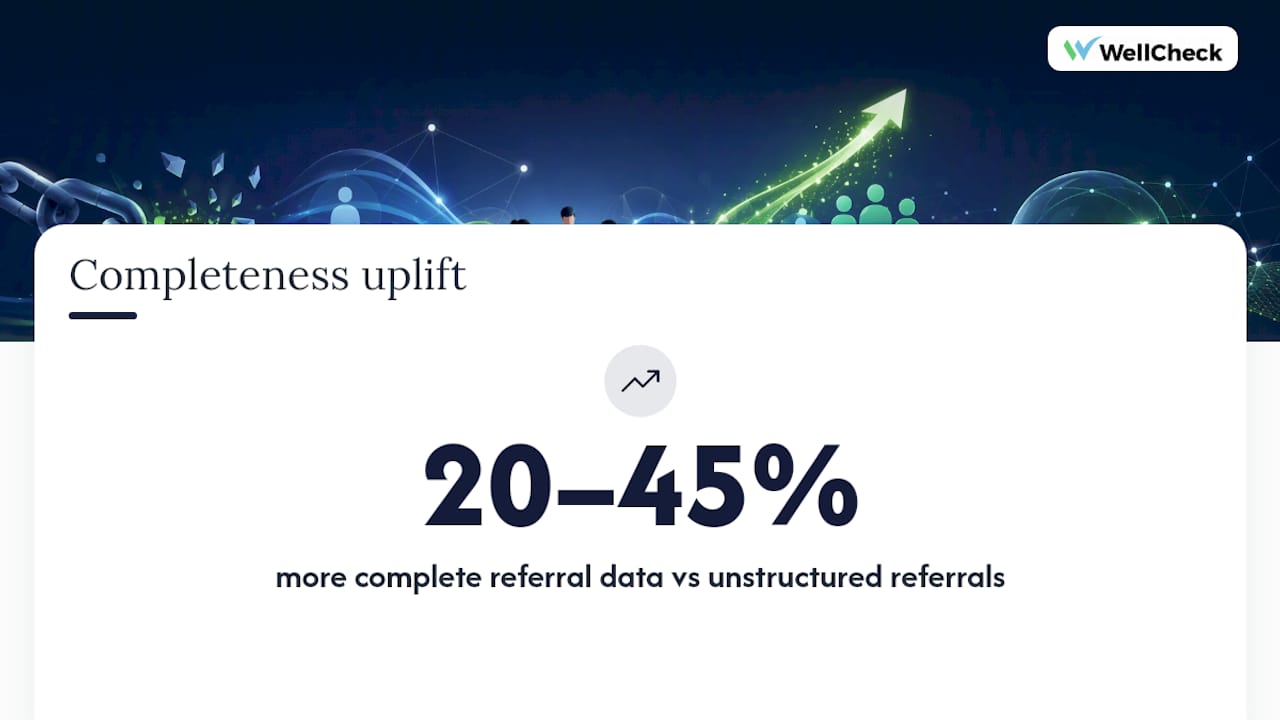
Separately, research on structured referral letters and forms found a 20 to 45 percent increase in the proportion of non-missing items compared with unstructured referrals, alongside reductions in inappropriate referrals in several clinical settings. That’s the practical payoff: a receiving specialist can triage faster when the urgency, reason for referral, and recent test results are sitting in predictable fields instead of buried in free text.
Structured, standardized referral forms increase completeness by 20 to 45 percent compared with unstructured referral documentation.
Operationally, the gains compound. Programs that move to a standard referral template report practical benefits such as fewer referrals bounced back for missing or unclear information, faster time-to-triage, improved EMR auto-population through structured fields, and cleaner data for equity and outcomes reporting
None of this requires new hardware. It requires a form that clinicians actually agree to use, which is a design problem before it’s a technology problem.
What Should Be Included in a Referral Form?
The instinct with digital forms is to add fields. The discipline that separates a usable referral form from a form clinicians route around is knowing what to leave out at intake and add later. A referral form’s job is to get a patient safely and quickly to the right service, not to replace the full clinical record.
Structure the initial referral form around what a receiving provider needs to triage, not everything they might eventually want to know:
- Patient identifiers — name, date of birth, medical record number, and contact information, kept to the minimum needed to match records safely.
- Referral reason and urgency — a structured urgency flag (routine, urgent, emergent) plus a short, required free-text reason field.
- Critical clinical context — active diagnoses relevant to the referral, current medications, and known allergies, pulled from the chart where possible rather than retyped.
- Recent relevant results — labs, imaging, or specialist notes from the last 90 days that bear directly on the referral reason.
- Referrer contact information — name, practice, direct phone or secure messaging line, so the receiving team can close questions quickly instead of routing through a general line.
- Eligibility and insurance basics — only the fields the receiving service actually needs to schedule, not a full benefits verification.
Detailed social history, full past medical history, and intake questionnaires belong later in the workflow, typically collected by the receiving service once the referral is accepted, not demanded up front. Asking for that detail at referral time is exactly what pushes digital forms past 50 fields and drives clinicians to abandon them or fill them in badly.
Pro Tip: Mark no more than 8 to 10 fields as required. Everything else should be optional or auto-populated. If your working group can’t agree a field is truly needed for triage, it goes in the “collect later” bucket, not the form.
Where possible, replace free-text fields with discrete lists or coded values, referral reason categories mapped to SNOMED codes, for instance, so the data can be aggregated later without a manual cleanup project. That single decision affects everything downstream, from reporting to interoperability with eReferral networks.
How Do You Codesign a Referral Form Clinicians Will Actually Use?
Forms built by a committee of administrators, without frontline clinician input, tend to accumulate fields nobody uses and omit the two or three that matter most for triage. The codesign model documented in the Ontario referral form study worked because it put referring clinicians, receiving specialists, and administrative staff in the same room and forced consensus on a shorter form, not a longer one.
A workable codesign process runs on two sessions, not a six-month committee:
- Session one: field inventory and evidence review. Bring an inventory of every field currently in use across existing forms, plus a one-page brief summarizing what receiving specialists say they actually need to triage safely.
- Session two: draft and decide. Test two or three draft template options against real (de-identified) referral scenarios, and use a simple majority or clinical lead sign-off to lock the field list.
- Pilot before full rollout. Run the draft form with one specialty or one clinic for four to eight weeks before asking every referring provider to switch.
Decision rules matter more than most groups expect. Agree in advance that a field only makes the final form if a receiving specialist can name a specific triage decision it changes. That single rule eliminates most of the fields that get added “just in case.”
Pro Tip: Put a specialist and a referring generalist in the same room for the pilot debrief, not separate feedback forms. Disagreements about what’s missing or unnecessary surface faster in conversation than in a survey.
Governance has to survive past the workshop. Assign a clinical working group ownership of the form, define a versioning convention (date-stamped, with a changelog), and require sign-off from both clinical and administrative leads before any field is added or removed. Document standards mappings, SNOMED for diagnoses and referral reasons, LOINC for lab and test references, so the form stays interoperable as it evolves rather than drifting into a one-off local dialect.
How Does Digital Implementation Affect Referral Form Design?
A paper form and a digital form are not the same design problem. Digital fields are cheap to add and expensive to fill out, which is exactly why the Ontario codesign study found digital referral forms carrying nearly twice the field count of their paper counterparts. Every technical decision in an electronic referral system should work against that tendency, not reinforce it.
Design the digital form so the EMR does the typing wherever possible. Demographics, active medication lists, and allergy data should auto-populate from the chart rather than requiring the referring clinician to retype them. Structured fields, dropdowns and coded lists instead of free text, both reduce entry time and make the data usable for triage automation and later reporting.
Regional eReferral networks offer a working pattern worth borrowing. The Ontario Health eReferral and Central Intake Playbook describes standardized referral forms (SRFs) routed through a Central Intake model, where a single intake point distributes referrals to the appropriate provider based on structured fields rather than the referring clinician having to know exactly who to send it to. That model depends entirely on standardized fields and SNOMED mappings being consistent across every participating organization, which is the same governance discipline described in the codesign section above.
A few implementation choices carry outsized weight:
- Map referral reason and diagnosis fields to SNOMED codes from day one, not as a retrofit
- Version every form change and keep a visible changelog accessible to referring staff
- Build minimal required fields into the EMR template so the system, not the clinician, enforces completeness
- Log referral status changes (sent, received, accepted, scheduled) as structured data points, not notes
Privacy and security are not optional add-ons to this work. Any electronic referral carrying protected health information falls under HIPAA’s privacy and security rules, which means administrative, physical, and technical safeguards need to be built into the transmission method, whether that’s a direct EMR-to-EMR interface, a Central Intake portal, or a secure fax replacement. A standardized form makes compliance easier to audit, since every referral carries the same fields in the same place, but the transmission layer still needs its own safeguards independent of the form’s design.
How Do You Govern and Improve Referral Forms Over Time?
A referral form is not a one-time build. Treating it as a static document is how organizations end up, five years later, with three overlapping versions floating around different clinics and nobody sure which one is current. Continuous quality improvement guidance on clinical standards recommends ongoing clinician engagement and scheduled review to keep documentation standards from drifting out of date.
Assign a named owner, typically the clinical working group established during codesign, and set a fixed review cadence, quarterly for the first year, then twice yearly once the form stabilizes. Publish version history and a change log so referring staff know when and why a field changed, rather than discovering a new required field mid-referral.
Track a small set of KPIs that actually reflect form performance, not vanity metrics:
- Completeness rate — percentage of referrals submitted with all required fields filled correctly
- Rejection rate — percentage of referrals bounced back for missing or unclear information
- Time-to-triage — median time from submission to a triage decision
- User satisfaction — a brief periodic survey of referring and receiving staff on form usability
Report these numbers to the clinical working group at each review cycle, and treat a rising rejection rate or falling completeness rate as a trigger for an off-cycle review, not something that waits for the next scheduled meeting. Feedback should flow through more than one channel: a standing peer feedback mechanism for day-to-day friction, plus periodic codesign refresh sessions, roughly the same two-session format used for the original build, to fold pilot learnings and accumulated complaints into a formal update.
How Do You Roll Out a Standardized Referral Form Step by Step?
Most standardization efforts stall not because the form design is wrong, but because the rollout skips a step. Here’s a sequence that holds up across pilot and scale phases.
- Scope the pilot. Pick one or two specialties or service lines rather than attempting an organization-wide rollout on day one. Define which referral pathways are in scope and which stay on the existing process during the pilot window.
- Align stakeholders. Confirm the clinical working group, referring providers, and receiving specialists who will participate, and get explicit sign-off on the field list before any technical build starts.
- Draft the template and map standards. Finalize the field list from the codesign sessions, map referral reason and diagnosis fields to SNOMED, and confirm required versus optional status for every field.
- Build the EMR integration. Configure auto-population for demographics, medications, and allergies, and set validation rules so required fields can’t be skipped at submission.
- Train the pilot group. Run a short training session, not a lengthy course, focused on what changed and why, plus a quick reference sheet for the new field layout.
- Run the pilot. Give it four to eight weeks. That window is long enough to generate a meaningful sample of referrals without leaving problems unaddressed for months.
- Evaluate against your KPIs. Pull completeness rate, rejection rate, and time-to-triage for the pilot period and compare against baseline numbers from the old form.
- Get governance sign-off to scale. Bring pilot results back to the clinical working group, address any issues the pilot surfaced, and get formal approval before expanding to additional specialties.
- Train the broader rollout and schedule ongoing reviews. Expand training to all referring sites, publish the form’s version number and changelog, and lock in the recurring review cadence from the governance section.
Pro Tip: Don’t wait for a perfect pilot. If completeness and time-to-triage improve even modestly over the old process, that’s your signal to scale. Perfecting the form in isolation, without live referral volume testing it, wastes months you could spend iterating on real data.
Communication matters as much as the technical build here. Research on EHR implementation consistently points to role clarity as a bigger predictor of success than technical readiness: staff need to know who owns the form, who to flag problems to, and who approves changes. A technically flawless form with an unclear ownership structure will still generate confusion and workarounds.
How WellCheck Supports Standardized Referral Workflows
A closed-loop referral management platform handles the operational side of what happens after a standardized form gets submitted: routing the referral to the right clinical or community partner, tracking follow-up status until it resolves, and generating outcomes dashboards program directors can hand to funders. It’s built to work alongside the EMR and referral forms an organization already has, not replace them.
For organizations training community health workers, navigators, or care coordination staff on how to complete referral forms correctly and follow up consistently, the Workforce Development Academy provides a white-labeled training path that pairs naturally with a new standardized form rollout.
In one rural health hub deployment with a multi-partner ecosystem, including both clinical and social services referrals, the platform tracked 22,682 individuals screened, 45,458 services delivered, and a 93.9% closed-loop completion rate.
Consider WellCheck for Standardized, Closed-Loop Referrals
Building and maintaining a standardized referral form is only half the job. The harder half, tracking whether that referral actually got accepted, delivered, and resolved, is what most internal builds skip because it requires ongoing workflow infrastructure, not just a better PDF. WellCheck is a direct route to solving that second half without building the tracking layer from scratch.
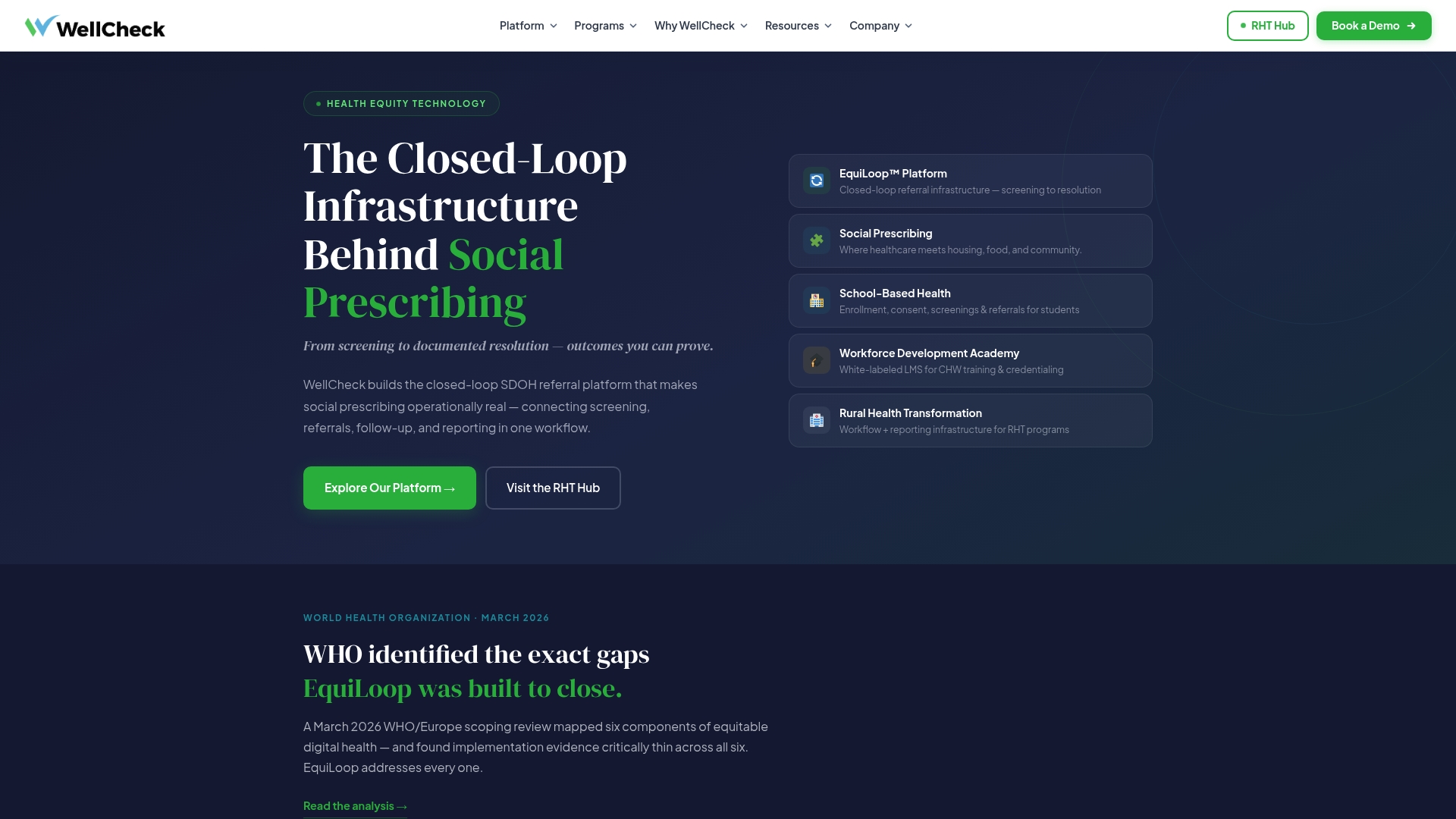
EquiLoop manages SDoH screening and intake, referral routing to clinical and community partners, follow-up tracking, and funder-ready outcomes dashboards, configured around the partner network and reporting requirements your organization already has. If your team has outgrown spreadsheets for tracking referral status, or if funders are asking follow-through questions your current process can’t answer, that’s the signal to bring in a platform built for closed-loop referral management rather than continuing to patch together internal tools. For teams also managing workforce training on new referral processes, the Workforce Development Academy runs alongside EquiLoop as a training layer. Review the step-by-step implementation plan WellCheck uses with rural and community health partners, then schedule a 30-minute demo to walk through how it would fit your current referral pathways.
Sources
- Ontario Health eReferral and Central Intake Playbook (excerpt)
- Structured referral forms improve completeness and may reduce inappropriate referrals (study)
- HHS: HIPAA
FAQ
What should be included in a referral form?
A referral form should include patient identifiers, referral reason and urgency, critical clinical context (diagnoses, medications, allergies), recent relevant test results, referrer contact information, and basic eligibility details. Detailed history and intake questionnaires belong later in the workflow, not on the initial form.
What are the four types of referrals?
Referral types are commonly categorized as routine, urgent, emergent, and direct or self-referral, though exact categories vary by organization and specialty. Structured urgency flags on a standardized form let receiving providers triage each type consistently.
What types of referral forms are available?
Organizations typically use paper forms, standalone digital or PDF forms, and EMR-integrated electronic referral forms (eReferrals) that route through a Central Intake or direct provider-to-provider system. EMR-integrated forms generally produce the most complete, structured data because fields can auto-populate from the chart.
How do you structure a referral program around standardized forms?
Start with a codesign working group to agree on essential fields, pilot the resulting template with one specialty for four to eight weeks, then scale with governance sign-off and a scheduled review cadence. Platforms like EquiLoop can extend that structure by tracking referral status and outcomes after the form is submitted.
How often should a standardized referral form be reviewed?
A quarterly review cadence for the first year, then twice yearly once the form stabilizes, keeps forms current without creating constant disruption for referring staff. Track completeness rate, rejection rate, and time-to-triage at each review to decide whether an off-cycle update is needed.

