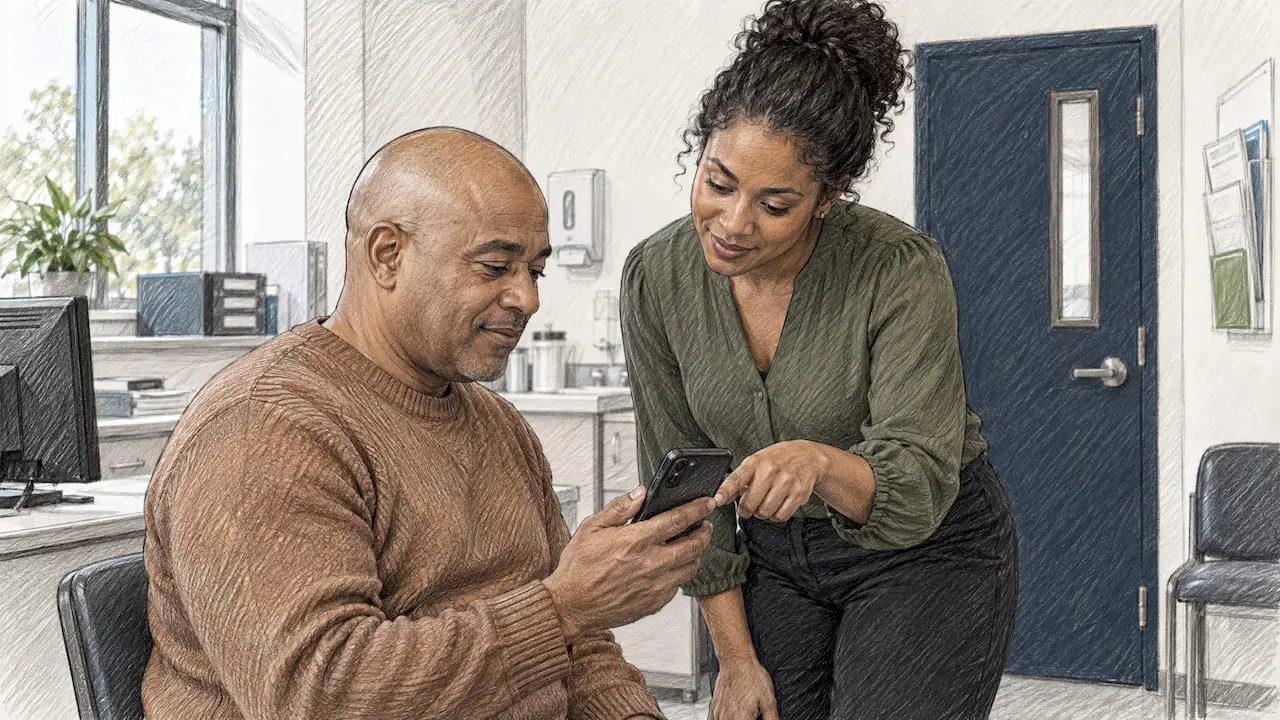
Digital health pass integration means connecting a program’s intake, records, and verification workflows to a digital credential that a person carries on a phone, usually a QR code. In the United States the practical route is open standards: HL7 FHIR for the data, and SMART Health Cards and SMART Health Links for the credential. This guide explains how the pieces fit, what to settle on identity and privacy, where access gaps appear in rural and community settings, and how to plan a rollout.
TL;DR
- A digital health pass is a verifiable credential, such as a vaccination record or test result, that a person stores on a phone and shares on request. Integration means your systems can issue it, accept it, or both.
- US integrations rest on HL7 FHIR and SMART Health Cards and Links. The QR code is an encrypted pointer. The record itself travels encrypted.
- Identity proofing, patient consent, and encryption are design requirements, not add-ons. Federal exchange rules under TEFCA set minimum identity assurance levels.
- Rural and low-income patients are less likely to have a capable phone or broadband. Keep a non-digital path in every workflow.
- A pass only shows what a record says. Programs that need to know what happened after a referral also need closed-loop tracking.
Table of Contents
- What a digital health pass is
- How the exchange works
- Standards to build on
- Identity, consent, and security requirements
- Access and equity in rural and community settings
- A practical rollout plan
- Where a pass stops and the referral begins
- FAQ
- Sources
What a digital health pass is
A digital health pass, also called a digital health passport or vaccine passport, is a way to prove vaccination or health status. Recent versions are cards in a phone wallet or QR codes that document vaccine status or test results.
The main difference from a paper card is the link to identity. The U.S. Government Accountability Office notes that a digital credential ties a person’s identity to verified vaccine or test information, which a paper card generally does not. It also notes that contactless scanning can speed up processing large groups of people at venues.
The term has grown beyond COVID-19. Under CMS’s Kill the Clipboard approach, a patient can bring structured data covering USCDI v3, including demographics, medications, allergies, conditions, immunizations, vital signs, lab results, care team, and insurance card, to a check-in desk. Unstructured documents arrive as FHIR DocumentReference attachments. For a community health program, that means a pass can carry immunization proof for a school-based clinic, or a patient’s own summary for intake.
How the exchange works
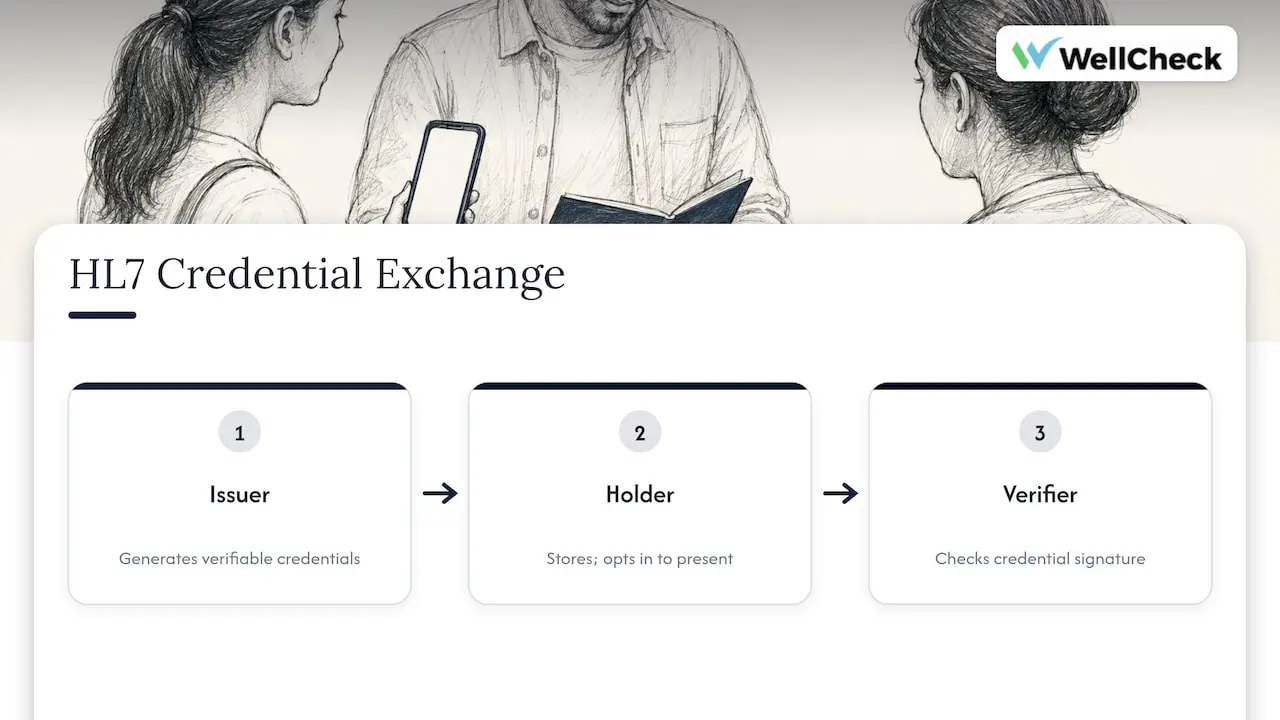
There are three roles in the HL7 model. An issuer, such as a lab, pharmacy, provider, EHR, public health department, or immunization information system, generates verifiable credentials. The holder stores and presents them. The verifier checks that they are properly signed. Presentation requires explicit user opt-in and approval.
Getting a credential to the patient
The same specification lists three ways a person can receive a Health Card: a paper or PDF with a QR code, a .smart-health-card file download, or FHIR API access through a compatible wallet app. The first two are required methods. The third uses a SMART on FHIR authorization step in which the user grants read access to resources such as Patient, Immunization, Observation, and DiagnosticReport.
The paper-or-PDF option matters for programs serving patients without smartphones. A printed QR code is still a valid Health Card.
Sharing a larger record
A SMART Health Card holds a small signed payload. For a fuller record, the patient uses a SMART Health Link. CMS describes the QR code as an encrypted pointer, not the data itself. The record travels encrypted and is decrypted only by the reader at the desk. The link points to a FHIR bundle or PDF on the patient app’s server, is time-limited, and can be revoked by the patient. The patient also proved who they are with a high-assurance credential when setting up the app.
The link specification lets the sharing user choose what to share, whether to require a passcode, and whether the link expires. A receiving application decodes the link payload and then requests the manifest. Your intake staff do not need to know the cryptography, but your vendors should be able to show how they handle each of these steps.
Standards to build on
The FHIR Implementation Guide for SMART Health Cards Vaccination and Testing describes the FHIR contents of a card for vaccination records and lab testing status. It uses a minimal set of patient information, such as name and contact details, and supports exchange between providers, patients, and verifiers such as event venues and airlines.
The same HL7 brief reports that issuers include multiple health systems, nationwide pharmacy chains, more than 26 US states and territories, and 9 jurisdictions outside the US, and that cards are built into the operating systems of iPhones and Android phones. In practice, many of your patients already have the wallet capability on their device.
Interoperability means acceptance, not data pooling
New York State’s Excelsior Pass Blueprint frames interoperability as two requirements: open standards so credentials can be accepted across solutions, and trusted issuers following the same clinical policies and technical commitments. It also states that interoperability does not mean data is exchanged, stored, or shared. It only enables validation for safe, secure acceptance. That distinction helps when you explain the project to a privacy officer or a county board.
The US trust gap
A 2021 HIMSS presentation observed that technical standards were coalescing around HL7 FHIR and SMART Health Cards, while the US lacked a national trust framework for the public key infrastructure needed to verify credentials. In practice, your program decides which issuers it will trust, and that list should be written down.
The Brennan Center makes a related point. Because there is no national vaccine registry, many parties hold immunization records, and weak standardization undermines interoperability. GAO counted more than 60 different immunization registries run by cities, states, and territories. If your program spans county or state lines, expect to deal with more than one source.
Federal exchange rules to watch
If your integration touches individual access through TEFCA, the rules are specific. The Individual Access Services SOP requires that providers authenticate individuals at least at Authenticator Assurance Level 2 and verify identity to at least NIST IAL2 through a credential service provider. A query must carry IAL2-verified demographics: first and last name, date of birth, street address, city, state, zip code, and an email address or mobile phone.
The same SOP says that on and after July 1, 2027, TEFCA IAS FHIR endpoints for the first two response modes must support the HL7 SSRAA implementation guide. If you buy or build an endpoint now, put that date in the contract requirements.
Identity, consent, and security requirements
Most integration problems are about people, not code: who is this patient, did they agree, and who can see the result.
Identity matching
The HL7 patient matching guide sets clear floors. Patient-initiated workflows must always include explicit end-user authorization, and identity verification must reach IDIAL1.5 or higher under NIST 800-63A. When PHI or PII goes to someone other than a HIPAA covered entity in a treatment, payment, or operations workflow, the minimum rises to IDIAL1.8.
For a community-based organization that is not a covered entity, that last rule is worth checking early with your compliance contact.
Privacy and security controls
The Excelsior Pass Blueprint is a useful checklist even a few years on, because it spells out controls in plain terms. It built the program on Fair Information Practice Principles and relevant federal and state privacy laws, and used identity verification to protect sensitive information. For verifiers, it calls for:
- Encryption of PII and PHI at rest and in transit.
- Access controls such as identity proofing.
- Public key verification of trusted issuers during scanning.
- Protection against brute force and automated attacks through two-factor authentication and lockouts after repeated failed attempts.
GAO adds a caution that applies to any design: a lack of clear standards for defined uses and for minimizing personal data collection can undermine security and privacy. Collect only what the use case needs. A school immunization check does not need a full problem list.
Privacy law also varies. The Brennan Center notes that without a federal data privacy law, protections vary by state. Review your state’s rules in addition to HIPAA.
Access and equity in rural and community settings
A digital pass works only for people who can hold and show one. GAO lists equity among its three main challenges, warning that wide use may worsen inequalities for people who do not own a mobile device, cannot be vaccinated, or lack access to vaccines.
The data on who is affected is consistent:
- The FCC figure cited in an NYU policy brief puts 19 million Americans without broadband access, with rural areas and native lands affected disproportionately.
- A 2024 survey analysis found that 46% of low-income adults aged 65 or older used the internet, compared with 90% and 94% of mid-income and high-income older adults.
- In the MESA study of 2,796 adults aged 62 to 102, older age and income under $50,000 were linked to lower odds of mobile health access.
- Among older Medicare beneficiaries, about 11% were homebound or semi-homebound in 2022, and homebound adults were less likely to own a cellphone.
Identity proofing can also exclude people. The Brennan Center reports that one state’s portal required a Social Security number for identity verification through a credit bureau, which blocked people without an SSN or credit history. It also reports forgery problems in early apps, including a cartoon image accepted in place of a vaccine card. Signed credentials with issuer verification are the answer to that, and it is a reason to verify signatures rather than accept screenshots.
Design rule: every digital path needs a paper or staff-assisted alternative that gets the same service. Printed QR codes, assisted check-in by a community health worker, and phone-free options keep the program usable for the people it exists to serve.

A practical rollout plan
Public guidance on rollout steps is thin, so the sequence below combines the standards and requirements above with common program-management practice. Adapt it to your partners and your state.
- Define the use case. Decide what you will accept or issue: immunization proof, a lab result, or a patient summary at intake. Each use case has a different data set and a different risk.
- Map your systems of record. List where records live today: EHR, immunization registry, case management tool, spreadsheets. The integration should connect to these, not duplicate them.
- Choose issuers you will trust. Write down which issuers’ signatures your verifiers will accept, since there is no national trust framework.
- Set identity and consent rules. Pick the assurance level your workflow needs, document consent capture, and set link expiry and passcode defaults.
- Test with real devices. Scan cards from several wallet apps and paper printouts. Test on the older phones your patients actually carry, and in the low-signal rooms where you work.
- Train staff and build the fallback. Front-desk staff and community health workers need a clear script for patients who do not have a phone or a card.
- Measure what happens next. Count how many passes were accepted, how many people needed the fallback, and what service followed.
WellCheck publishes more on SMART Health Card integration for community health programs and on an adoption plan for interoperability in public health.
Where a pass stops and the referral begins
A health pass proves what a record says at a moment in time. It does not show whether a patient who screened positive for food insecurity or housing need got connected to a service. That is a workflow question, and it is where many rural programs lose visibility: a referral goes out, and nobody records whether it was accepted, delivered, or resolved.
EquiLoop is WellCheck’s closed-loop referral and care coordination platform. It covers SDoH screening and intake, referral routing to clinical and community partners, follow-up and status tracking, outcomes dashboards, and funder-ready reporting. It is configured around the partner network and reporting requirements an organization already has, and it is built to complement existing systems of record rather than replace them. EquiLoop is not a resource directory. Its job is to track what happened after the referral.
For context, one rural health hub deployment with a multi-partner ecosystem recorded 22,682 individuals screened, 45,458 services delivered, and a 93.9% closed-loop completion rate.* Programs that bring verified credentials into intake can pair them with that kind of follow-through tracking. You can see how EquiLoop handles the workflow, or book a 30-minute demo to talk through your referral pathways and reporting requirements.
*Rural health hub deployment with a multi-partner ecosystem. Includes both clinical and social services referrals.
FAQ
What is the difference between a SMART Health Card and a SMART Health Link?
A SMART Health Card is a signed, verifiable credential carrying a small data set, such as an immunization record or a lab result. A SMART Health Link is an encrypted pointer to a larger record, such as a FHIR bundle or PDF, that the patient can set to expire and can revoke. Both use open HL7 standards.
Do patients need a smartphone to use a digital health pass?
No. The HL7 specification lists a paper or PDF with a QR code as a required way to receive a Health Card. Programs serving patients without smartphones can print the code, and staff can help with check-in.
Which identity level does a digital health pass integration need?
It depends on the workflow. Under TEFCA individual access, the SOP requires AAL2 authentication and NIST IAL2 identity verification. HL7 patient matching guidance sets IDIAL1.5 or higher for patient-initiated workflows, and IDIAL1.8 when data goes to a party outside a HIPAA treatment, payment, or operations workflow. Confirm the level with your compliance lead.
Does integrating a digital health pass replace our EHR or case management system?
No. The pass is a way to carry and verify a record at the point of intake. Your systems of record stay in place, and the integration passes verified data into them.
Sources
- Provider Kill the Clipboard Guide, CMS
- Science & Tech Spotlight: Digital Vaccine Credentials, U.S. GAO
- Understanding Digital Health Passports in a Post-Pandemic World, TechTarget
- Health Cards Specification, SMART Health Cards and Links IG v1.0.0, HL7
- Health Links Specification, SMART Health Cards and Links IG, HL7
- HL7 FHIR Implementation Guide: SMART Health Cards Vaccination and Testing, product brief
- A national framework for building and implementing digital health credentials, New York State Excelsior Pass Blueprint
- TEFCA Individual Access Services Standard Operating Procedure, Sequoia Project
- HIMSS21 digital vaccine credentials presentation
- Patient Matching: Interoperable Digital Identity and Patient Matching, HL7
- Evaluating the Privacy and Equity Concerns Posed by Digital Vaccine Credentials, Brennan Center for Justice
- Digital Health Equity policy brief, NYU Institute for Excellence in Health Equity
- Technology Acceptance Among Low-Income Asian American Older Adults, PMC
- Associations of Demographic, Socioeconomic, and Cognitive Factors with Mobile Health Access, PMC
- Digital Divide Among Homebound and Semi-Homebound Older Adults, Journal of Applied Gerontology
